Multi-robot workflows, built in ten minutes.
In manufacturing settings, it’s useful to have multiple robots working together to complete a task.
At its simplest there’s a pattern called the switcheroo. A line worker is building something, using a bin of parts. When the bin is empty they call for a robot to bring a new one. Robot A has to arrive first and clear the empty bin. Only once that’s done can Robot B drop off a full one.
That’s the simplest possible version. Real applications get much hairier. In cart loading, 3+ robots work together to stack pallets onto a cart train pulled by a tugger, and the number of things that have to happen in the right order grows fast.
Simple jobs must stay simple. Complex jobs must stay possible. Oh and btw, you have 5 weeks.
The legacy system optimized for flexibility: a rules engine where you chained thousands of primitive rules together, taking a specialist weeks to set up. I needed a tool that made simple jobs seamless and scaled to complex ones without becoming a headache. A tight timeline relative to the scale of this project made it even more difficult.
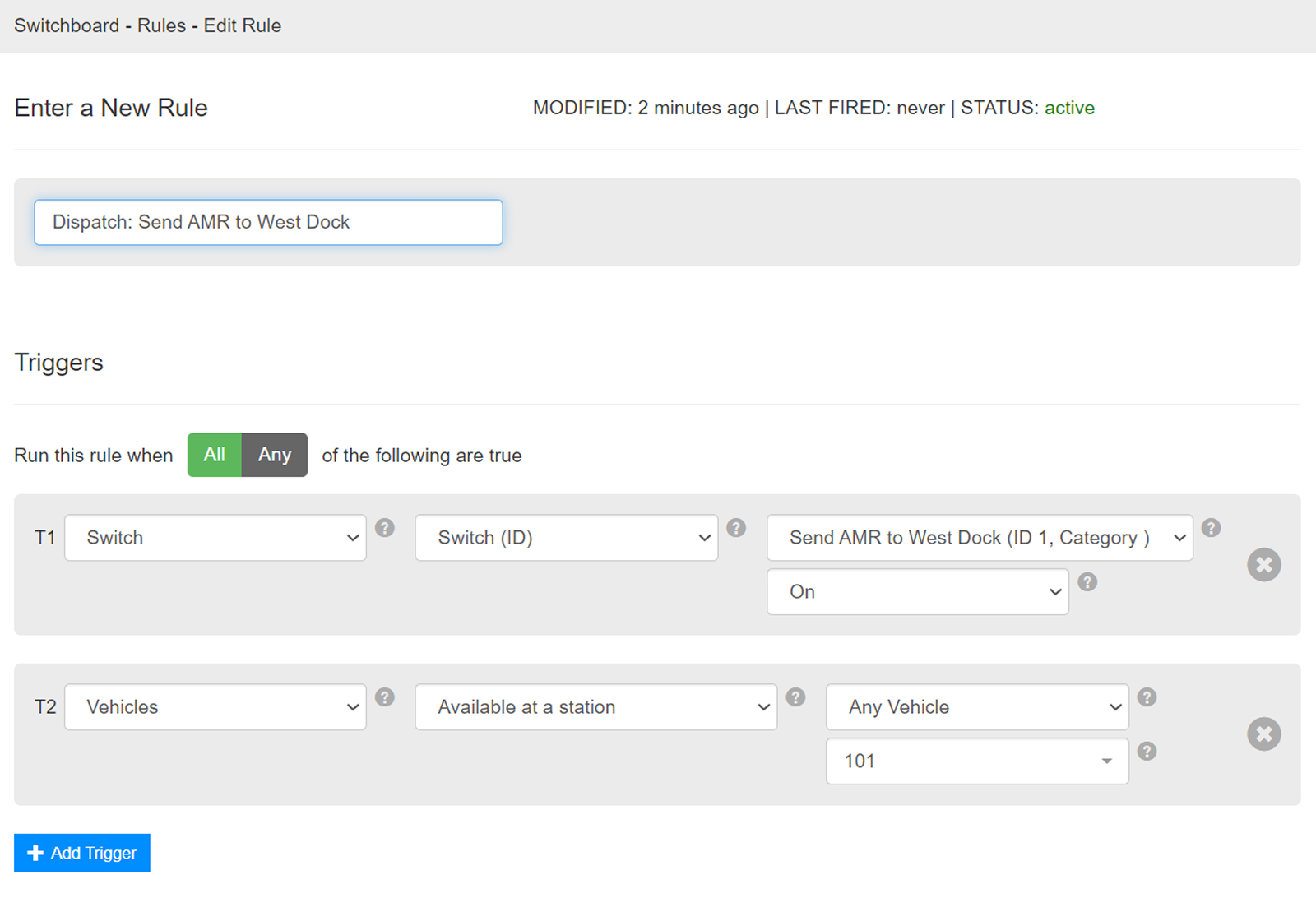
My first approach used a grid
I gave each robot its own column, made up of a series of steps it should take. Those steps needed to be sequenced against each other, so I tried a grid: users could drag steps up and down to time them relative to the robots in neighboring columns.
A couple of sessions pressure testing with my engineering colleagues, running the concept against real customer applications on a whiteboard, told us it wasn’t going to work.
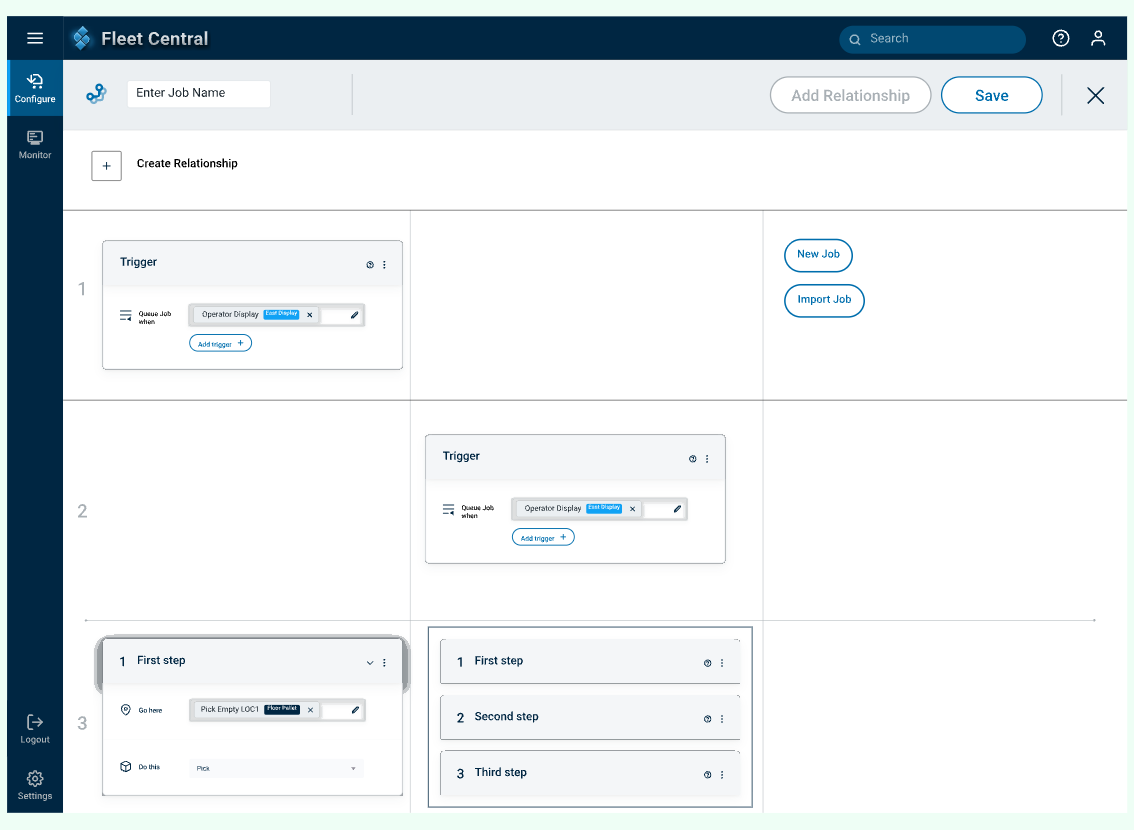
Position on a grid can show order. It can’t show a condition.
A grid can say Robot B’s step comes after Robot A’s. But that isn’t what the work actually requires. Robot B doesn’t need to go second. It needs to go once the empty bin is confirmed gone. If Robot A is slow, gets rerouted or fails, the job understands to wait.
The relationships between steps were broader than what position on a grid alone could capture.
Dependencies: magical logical links
Logic gets complicated fast. Two robots is a sentence. Six is a paragraph, and by then the number of ways things can relate to each other is more than anyone wants to hold in their head.
So we went the other direction. We looked at the logic showing up across real customer applications and broke it down into the smallest set of operations that could still cover all of it. Four types. Then we wrote each one as a plain english sentence: this step starts after that one completes. This step waits until a robot arrives. This step waits for a signal from the floor.
No boolean operators, no nesting, no prior technical knowledge required. You read a dependency the same way you’d say it out loud.
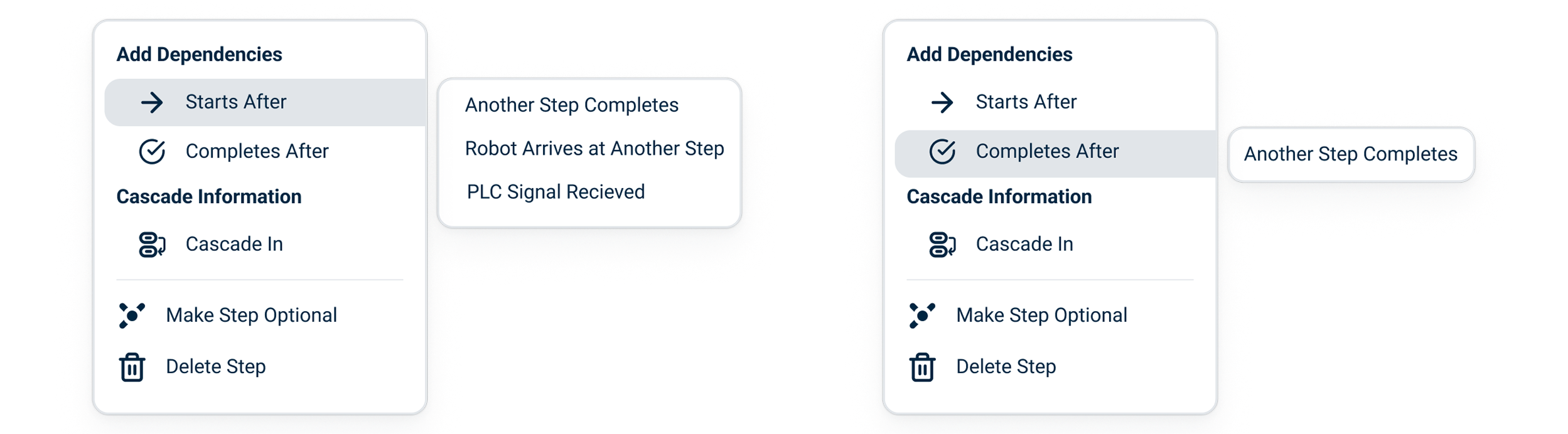
Logical links: from abstract to visible.
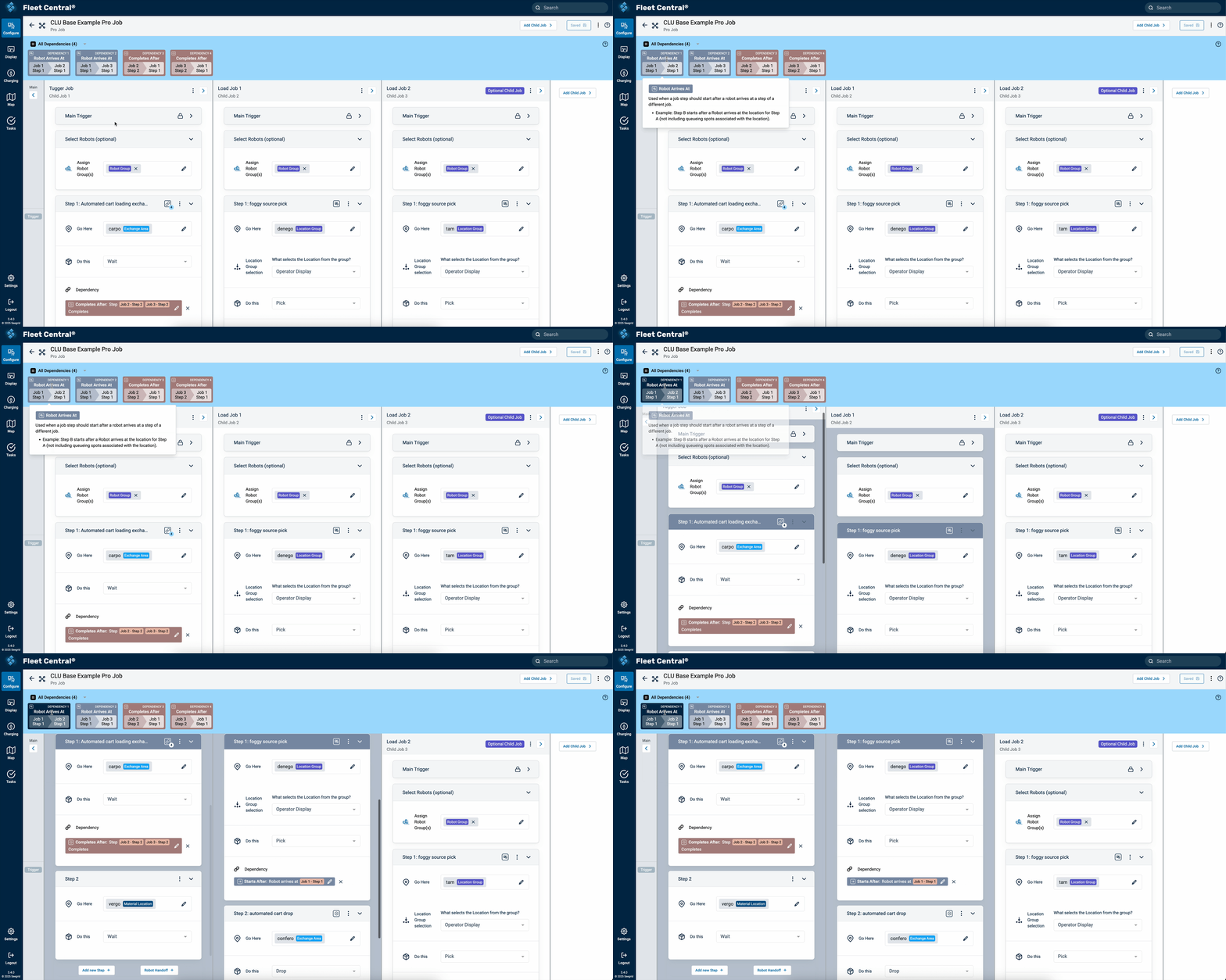
Plain english makes a dependency readable. It doesn’t make it findable. Once a job has a dozen of them, the hard part isn’t writing one, it’s spotting the one that’s wrong.
So every dependency carries a color. That color shows up on the summary bar above the workspace and on both steps it connects, so a relationship you’d otherwise have to go hunting for is just visible on the screen.
Setup time went from weeks to minutes.
The legacy rules engine took up to three weeks to configure a complex workflow. Application engineers set up the same work in five to ten minutes in usability testing.
Unlocked functionality major customers were asking for.
Capabilities two major customers were actively asking for, previously not sellable.
Familiar despite the added power.
Because it extended Job Builder, the tool felt immediately usable to engineers already trained on the original.
Validated directly with a customer.
A working session with GM industrial engineers confirmed the tool could express real facility requirements, not just internal use cases.